
01
Core
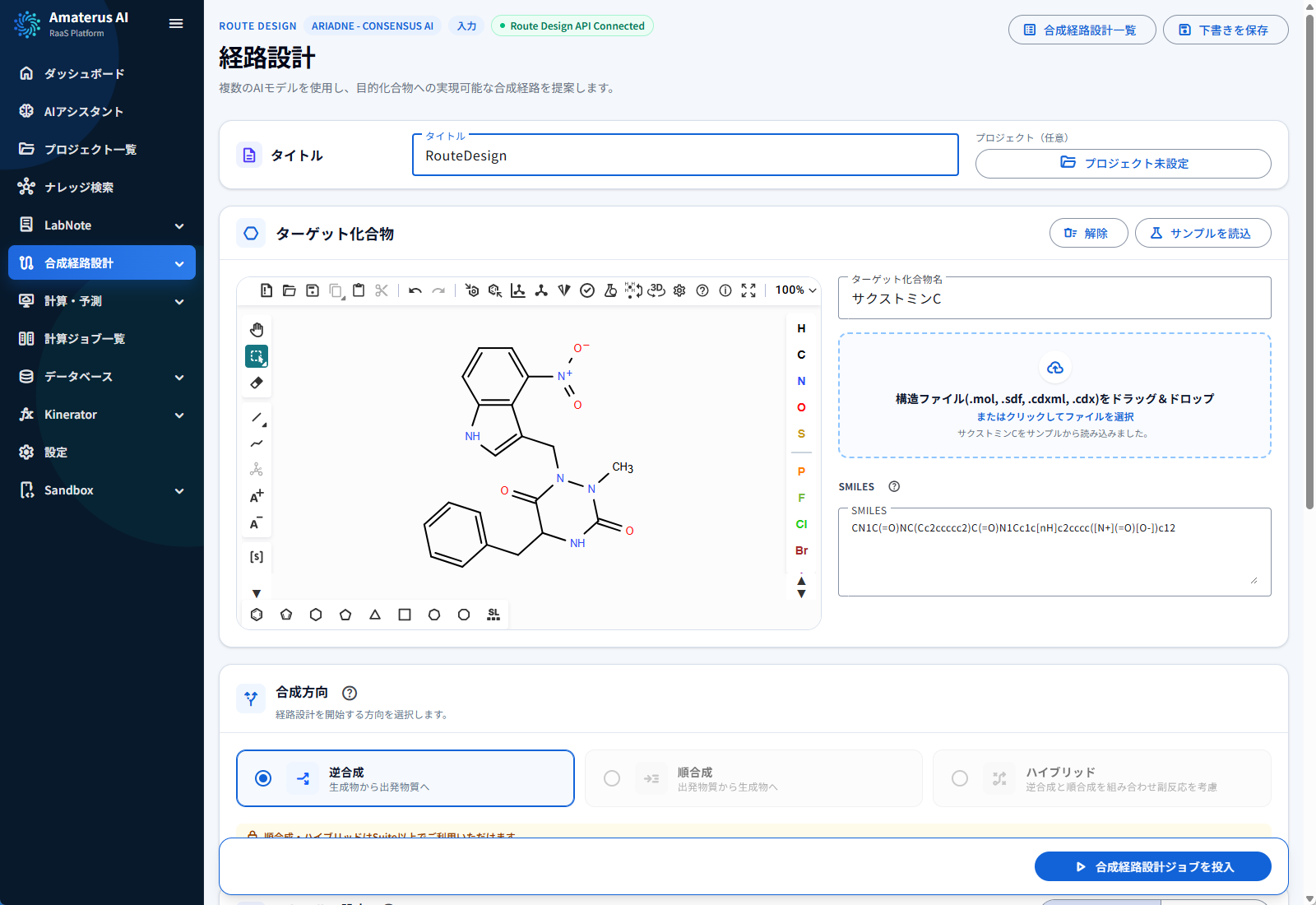
Define the route-design task
Enter or upload the target structure, select the exploration preset, and make constraints visible before execution.
Product screens
Review knowledge, compare synthesis routes, and investigate reaction data and calculations. These screen examples illustrate the R&D and decision-making workflow.
Enter or upload the target structure, select the exploration preset, and make constraints visible before execution.
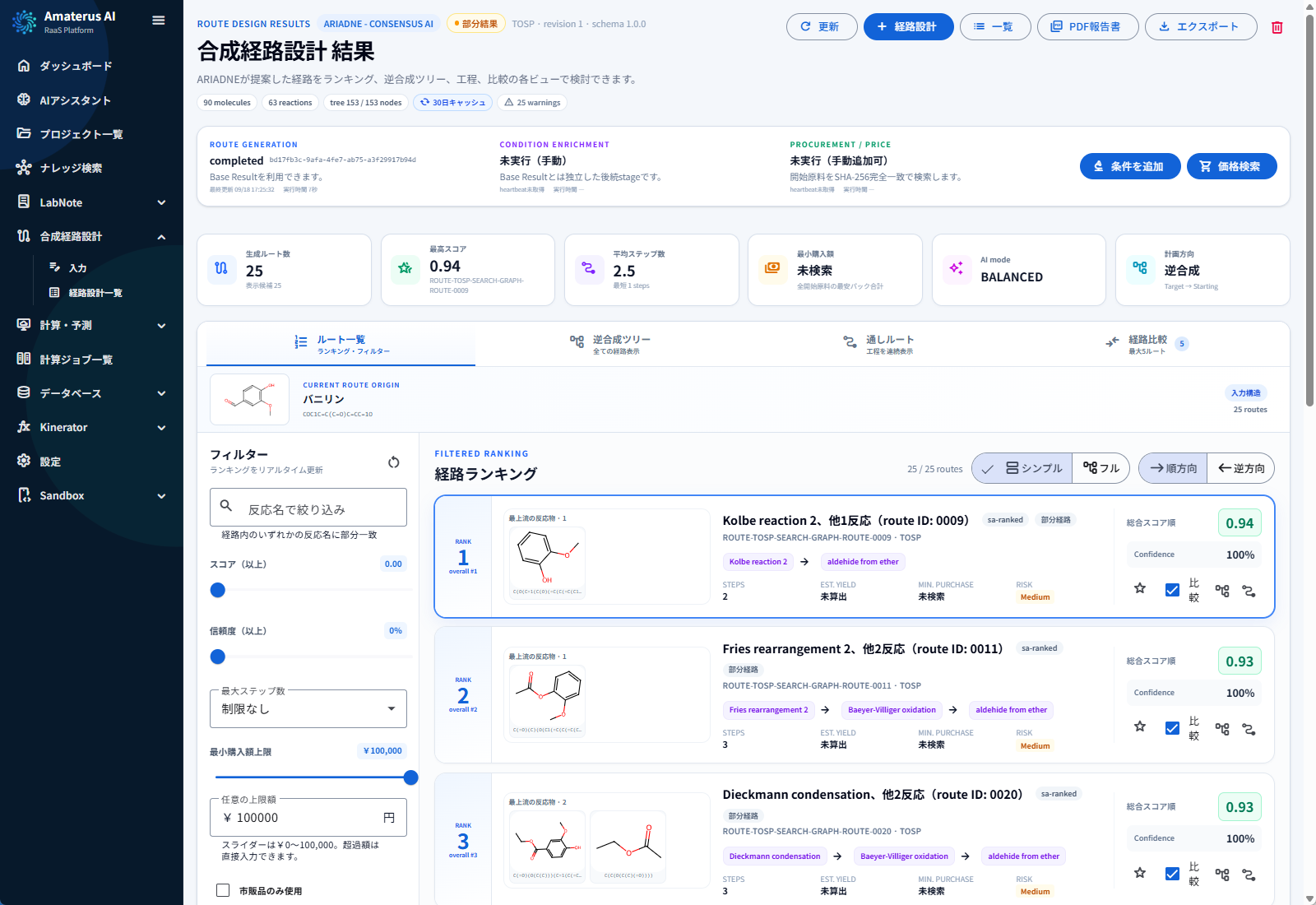
Review route-level metrics, engine support, commercial reachability, and evidence in one ranked view.
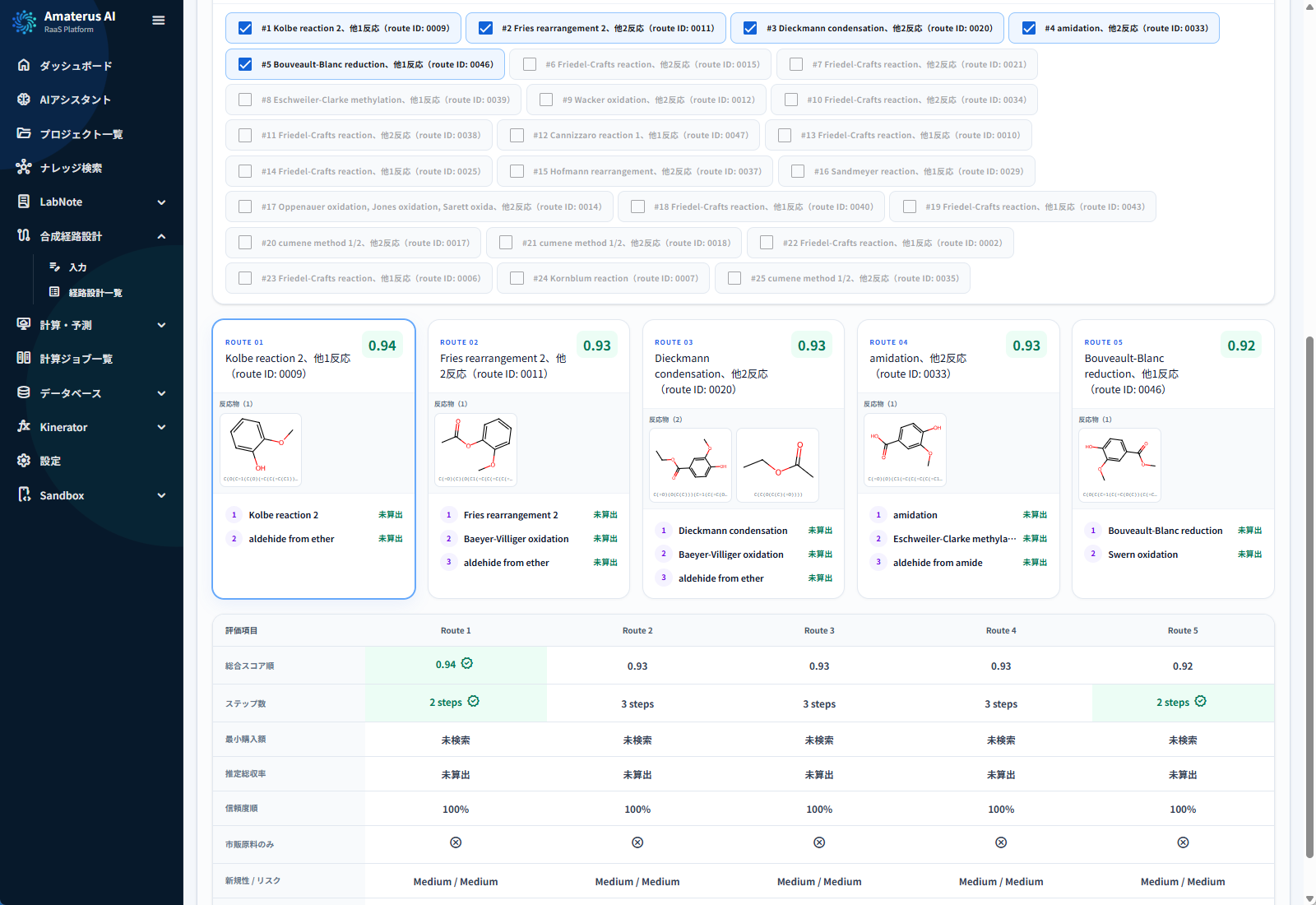
Place routes side by side and inspect the conditions, scores, uncertainty, and trade-offs that differ.
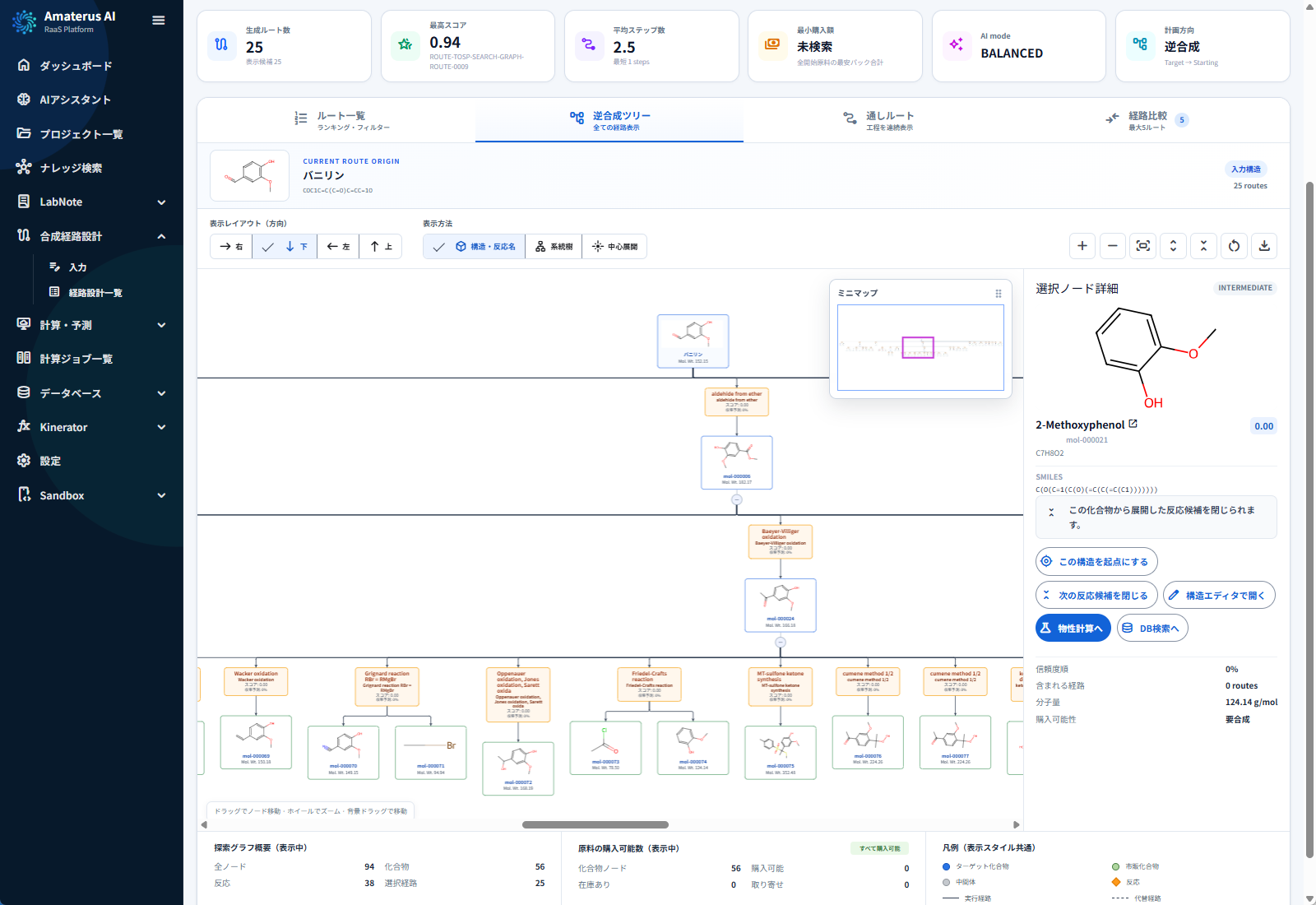
Move between the complete route landscape and focused compound or reaction neighborhoods.
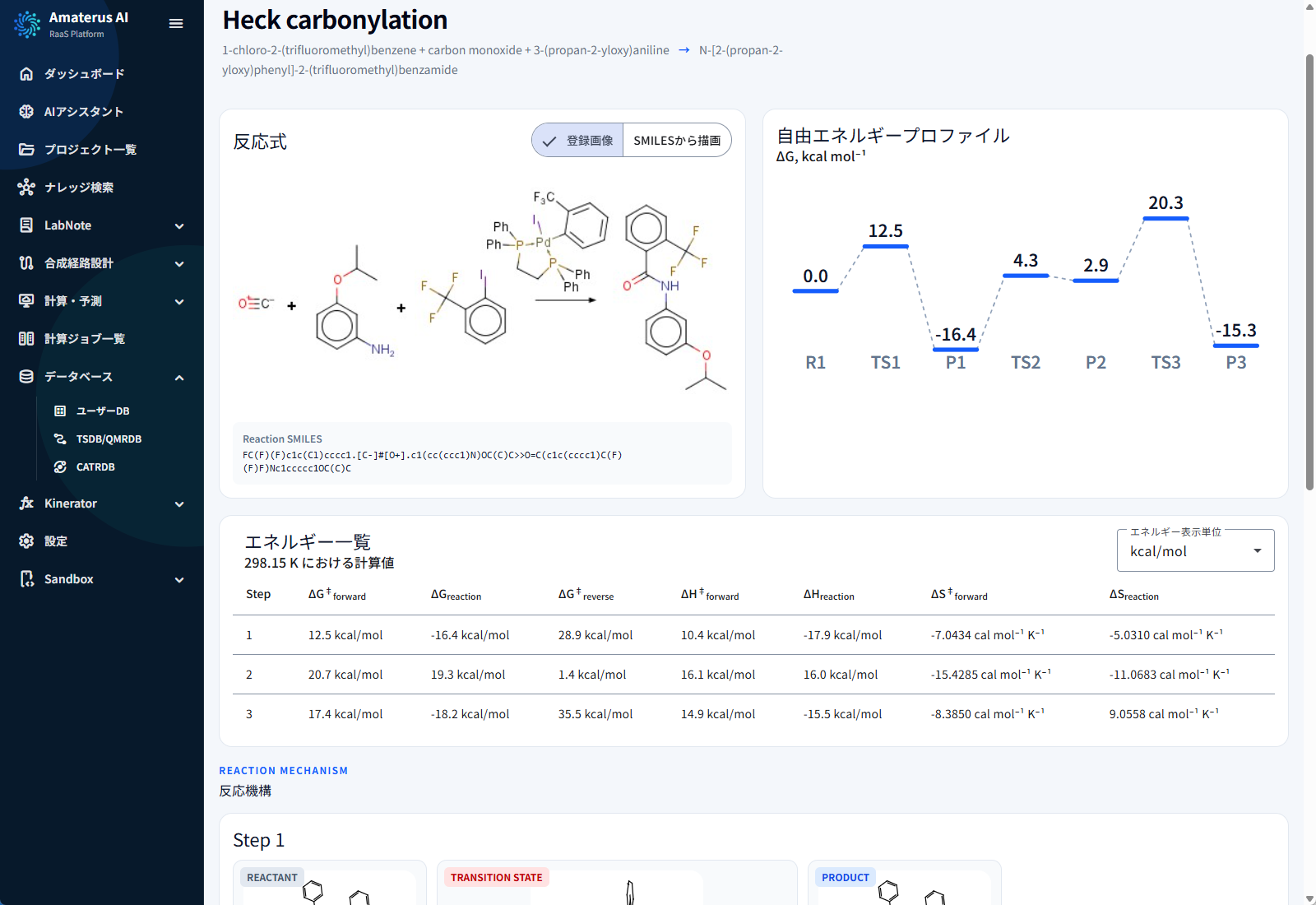
Search TSDB/QMRDB records and review structural, energetic, and provenance details for uncertain steps.
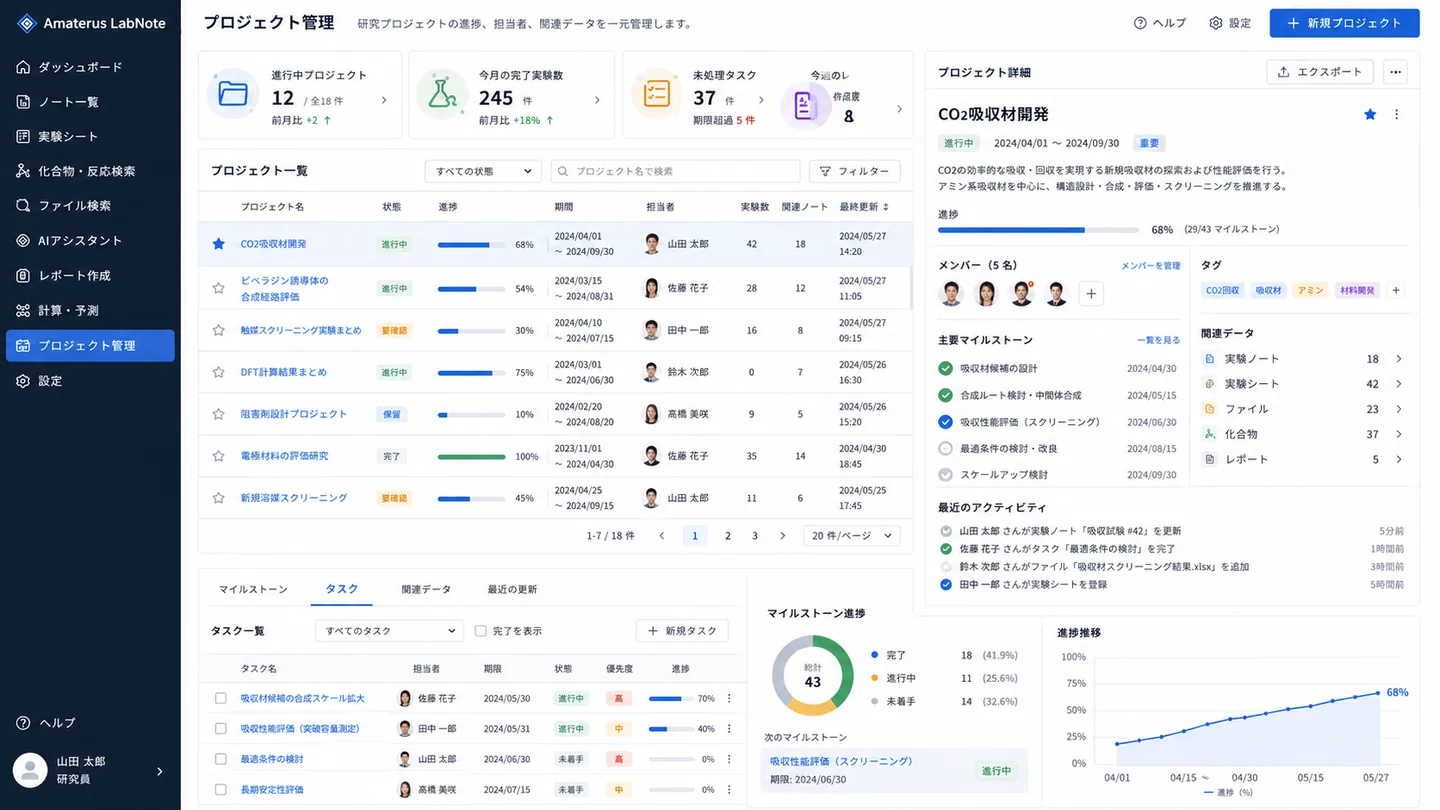
Keep targets, jobs, results, decisions, and project history together for reuse and review.
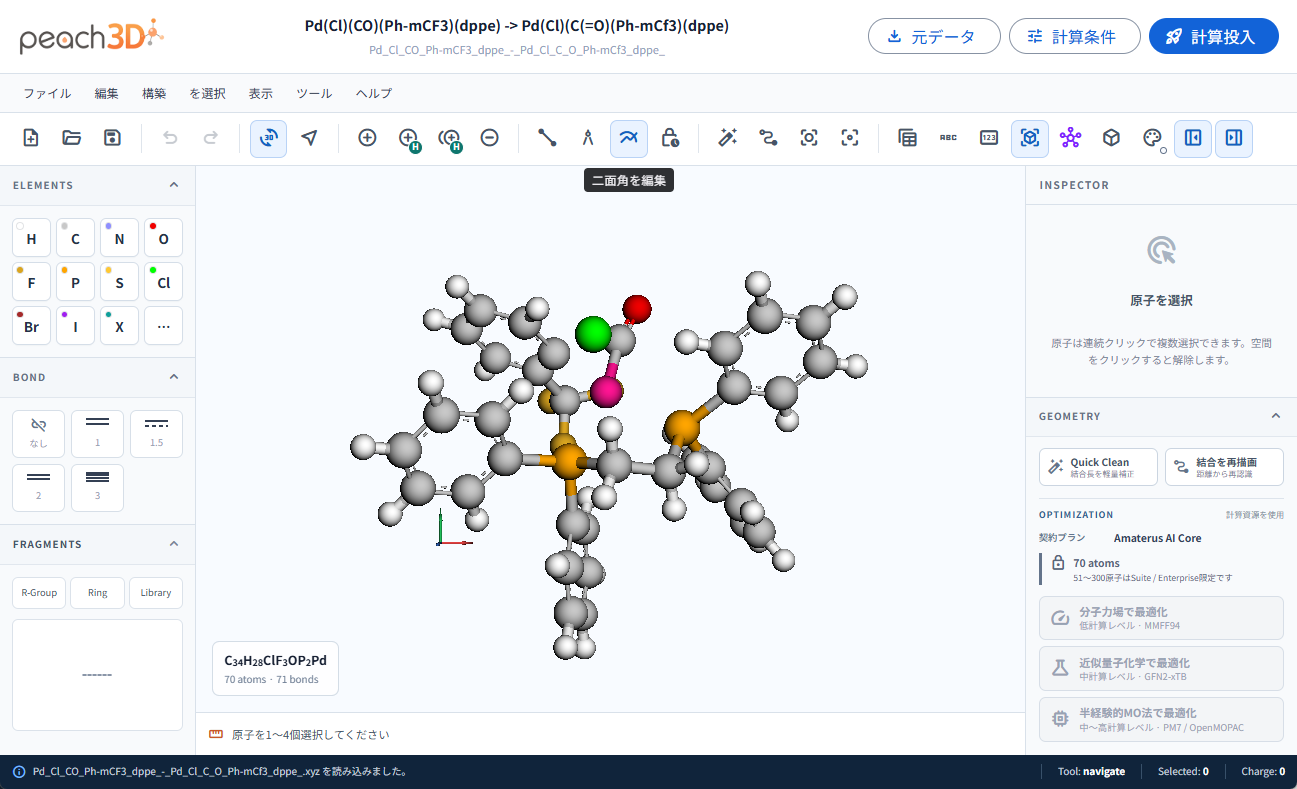
Inspect 3D structures, atoms, bonds, and calculation conditions in peach3D to prepare a computational investigation.
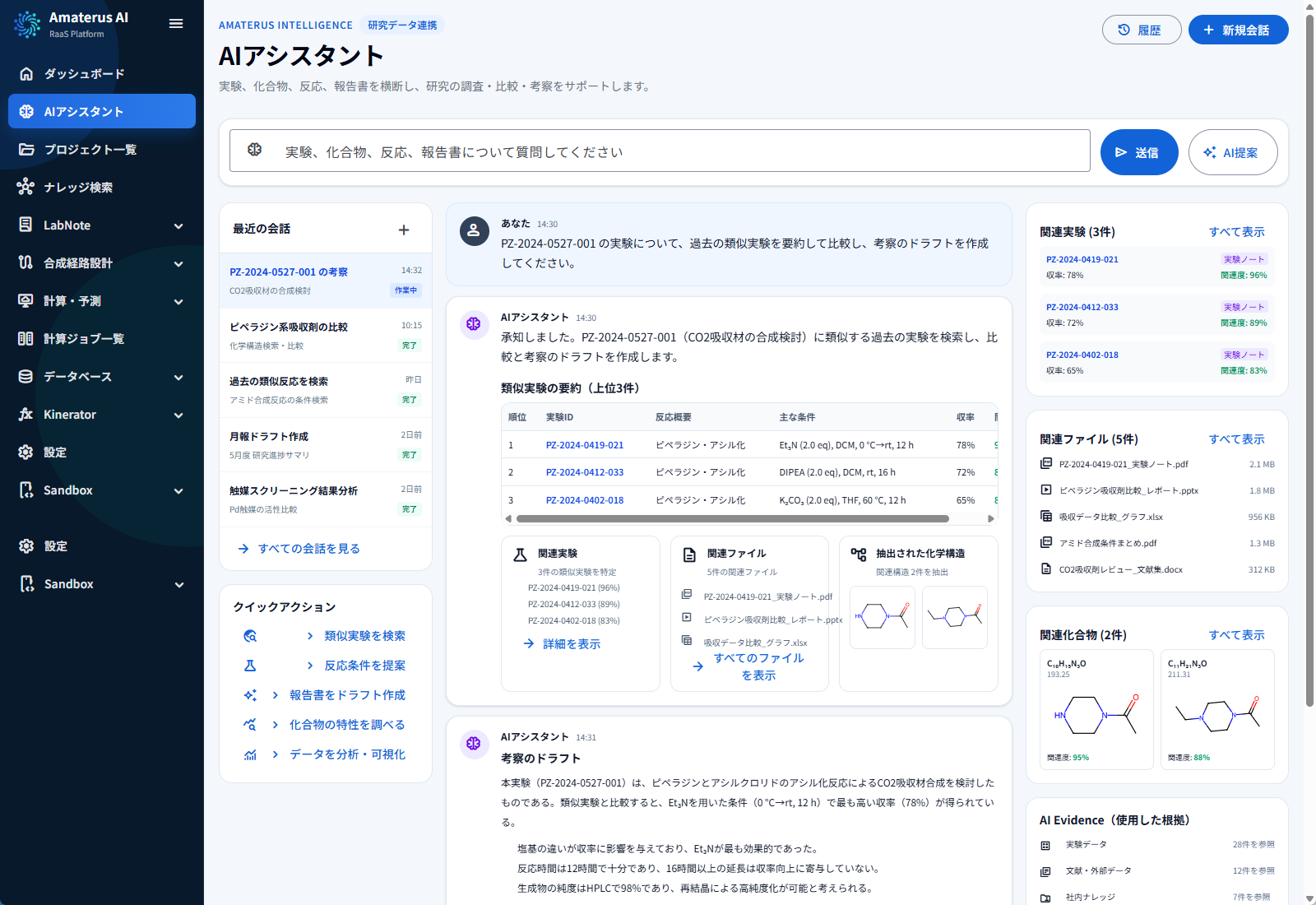
Use the AI assistant to review related experiments, documents, and compounds, with source information for comparison and interpretation.
Next step
Tell us about the work you want to address: knowledge creation, route exploration, reaction validation, or conceptual process design. We will review your task and data requirements and discuss implementation.